

16 June 2026 — Conversation export, chat pinning, and more
Export an entire conversation to Word and PDF, pin a chat, save files into folders named after the chat, and an autocomplete for skills and agents via $.
New features for working with conversations and files:
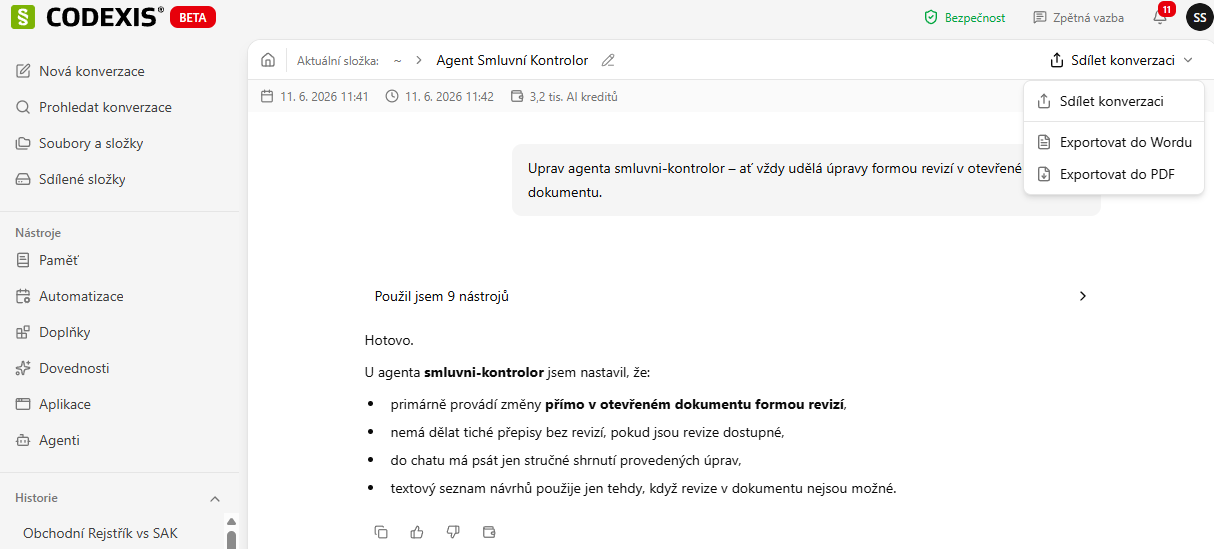
1. Export an entire conversation to Word and PDF
You can now export an entire conversation from the top right via Share conversation → Export to Word or Export to PDF.
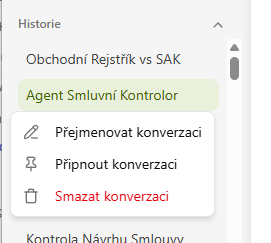
2. Pinning a chat
Next to a conversation name in the history, click the three dots and choose Pin conversation. Pinned conversations are always at the top, ready at hand.
3. Saving files into folders named after the chat
Files created in a conversation are saved directly into a folder named after that conversation. If you don't specify a folder, you'll find them in the home folder (~).
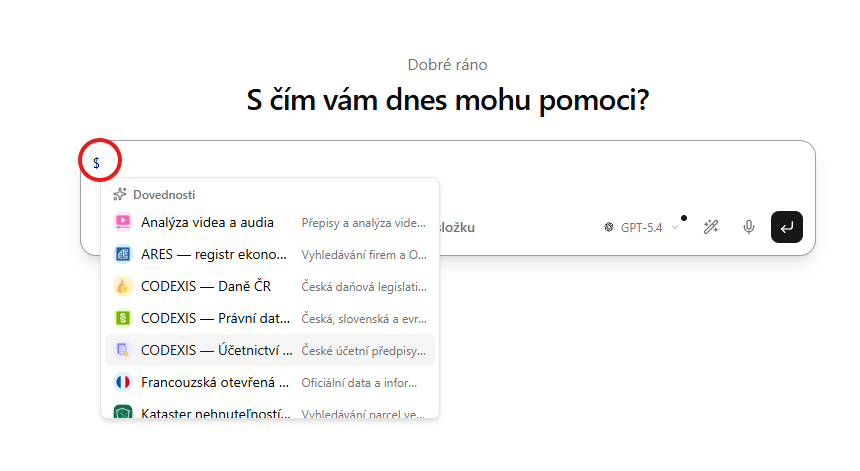
4. Autocomplete for skills and agents via $
By typing the $ character directly in a conversation, you bring up an autocomplete from which you can quickly select a specific skill or agent.
17 June 2026 — Czech insolvency watchdog and redesigned tracking
New Czech insolvency watchdog add-on (ISIR) for lookups and monitoring, and a redesign of Tracked Documents and Tracked Case Law.
12 June 2026 — New models and EU data residency
Newly available models (OpenAI, Anthropic) and the option to process queries within the EU.