

Certificate for signing emails
Prepare an S/MIME certificate for signing emails sent to CODEXIS AI Agent and configure your email client.
For the agent to accept your emails, they must be signed. That requires a personal certificate. This page explains what it is, where to get one, and what to do with it.
What an email signing certificate is
It is an electronic ID card proving that an email really came from the stated sender and that nobody altered its contents on the way. The technical name is an S/MIME certificate.
Certificates are issued by a certificate authority. That is an organisation everyone trusts — rather like the office that issues identity cards. The authority verifies who you are and issues a certificate tied to your email address.
A certificate has two parts. A public one, which lets others verify your signature, and a private key, which does the signing. Never give the private key to anyone and never send it anywhere.
Where to get a certificate
Usually your company's IT department issues it, or you buy one from a certificate authority.
CODEXIS AI already knows these public authorities and verifies signatures from them with no further setup:
| Authority | Note |
|---|---|
| I.CA (První certifikační autorita) | Czech, the most widely used |
| eIdentity | Czech |
| Disig | Slovak |
| Certum | Polish |
| Actalis | Italian |
| GlobalSign | international |
| Sectigo | international |
You can also see the current list in the app itself. In Settings, in the Custom certificates section, click Show supported authorities — a single authority often has several certificates there, for instance one for RSA and one for ECC.
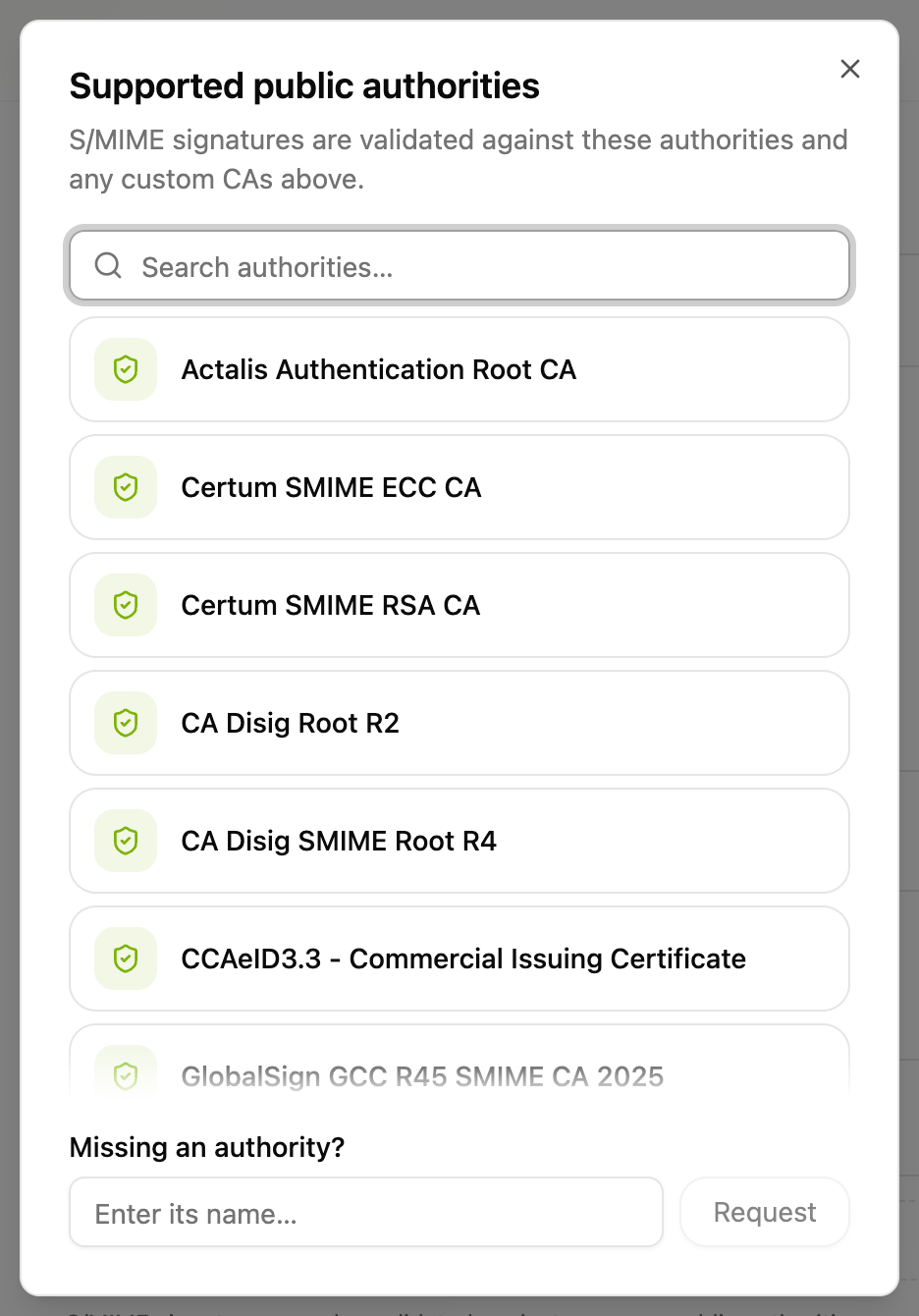
If your certificate comes from one of these, skip straight to sending email. There is nothing to upload.
If your company runs its own certificate authority — meaning it issues certificates itself — you have to upload it into CODEXIS AI once. The steps are below.
Setting the certificate up in Outlook
You will usually receive the certificate as a password-protected .p12 or .pfx file. It contains the private key as well.
On a Mac, double-click the file and it goes into Keychain. Outlook then finds it by itself. The first time you sign a message the system asks for your keychain password — choose "Always Allow", otherwise it will ask on every message.
On Windows, double-click the file and go through the import wizard. The certificate lands in the certificate store and Outlook picks it up.
Then turn signing on in Outlook's email security settings and pick your certificate from the list.
The certificate must match the address
A certificate is issued for one specific email address. It has to be the address you write to the agent from, and the same one you use in CODEXIS AI.
Uploading your own authority into CODEXIS AI
Do this only if your company runs its own certificate authority.
You will need the certificate of the authority, not your personal one. It is a different file — usually ending in .cer, .crt, or .pem, with no password, because it contains no private key. Ask your IT department for it.
In CODEXIS AI open Settings and scroll down to the Custom certificates section.
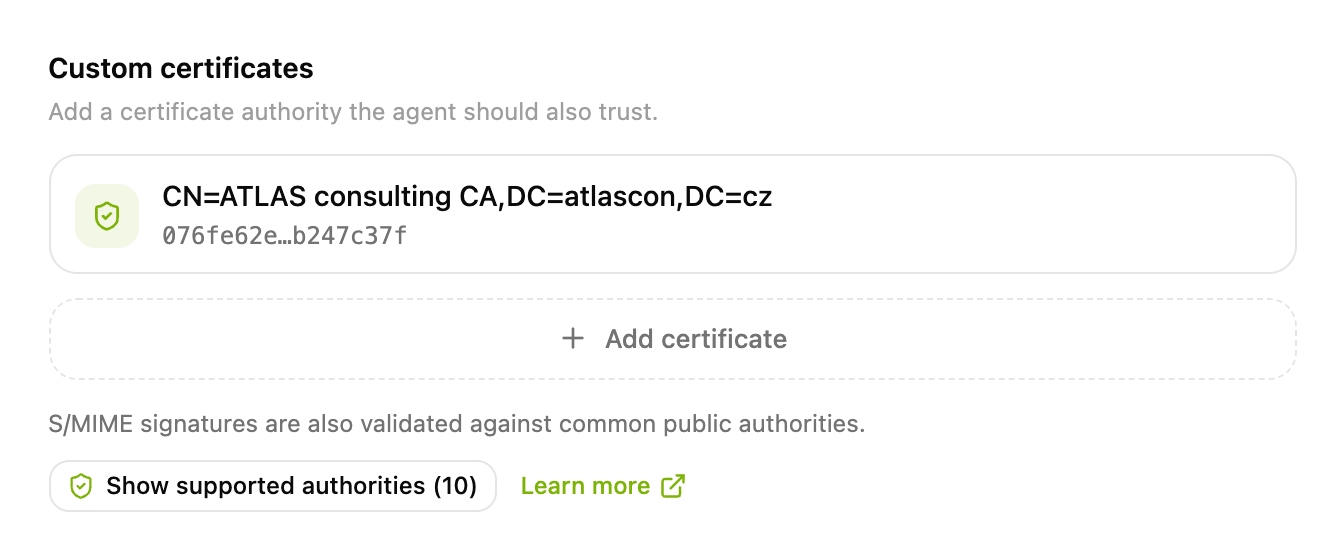
Click Add certificate. If you have not uploaded an authority yet, the button reads Add a custom CA instead. A form opens, and there you have two options.
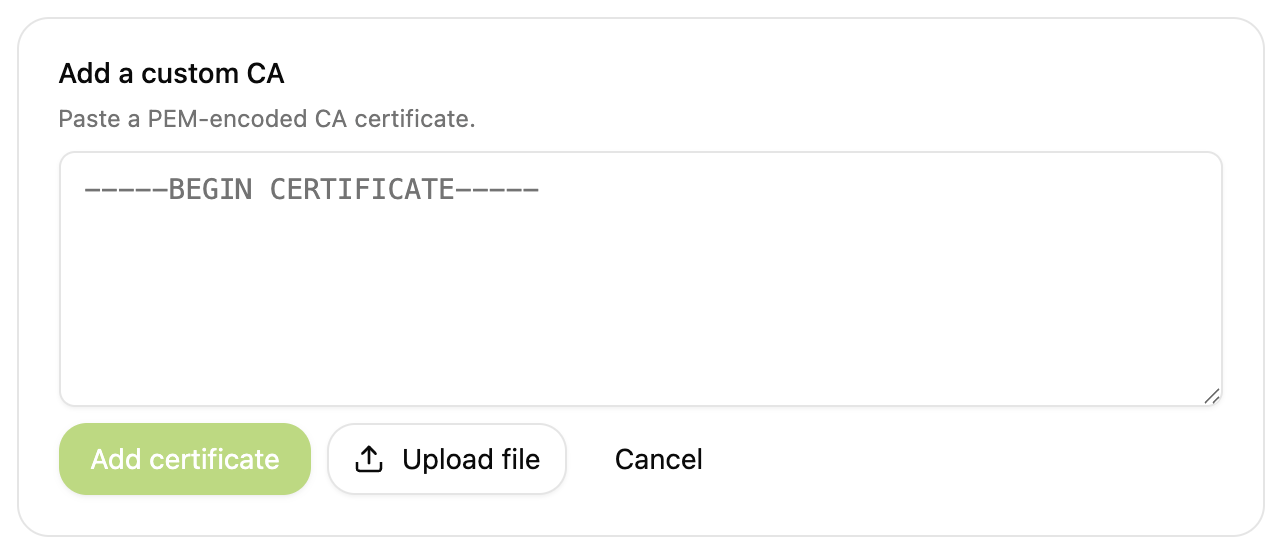
Upload file. Click the Upload file button, pick the certificate file, and you are done. The certificate is added straight away.
Paste the text. Open the file in a text editor, copy its entire contents into the field in the form, and confirm with Add certificate.
Either way, the contents of the file have to look like this — including the first and last line:
-----BEGIN CERTIFICATE-----
MIIDsTCCApmgAwIBAgIQVHKL0BRuzJhLniKtw6/JejANBgkqhkiG9w0BAQsFADBM
...
-----END CERTIFICATE-----
If you open it in a text editor and see gibberish, the file is in a binary format. Uploading it will not help either — have IT convert it to PEM for you.
The authority appears in the Custom certificates list. For each one you can see who it belongs to and its fingerprint. You can delete an authority you no longer need at any time.
Everyone uploads their own
An uploaded authority applies to your account only. Colleagues holding certificates from the same company authority have to upload it too.