

ChatGPT
Connect the ChatGPT desktop application to CODEXIS AI through MCP.
To connect, you need your API key and the MCP server URL https://vm.codexis.ai/mcp. The key determines the CODEXIS AI account and whose credits are used.
ChatGPT desktop application
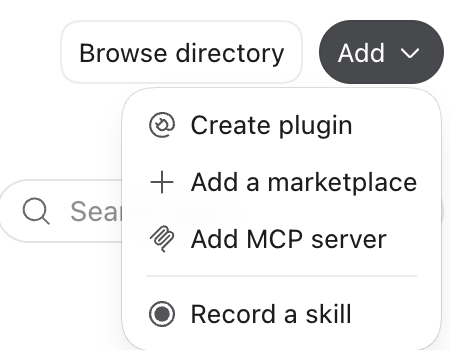
Open Plugins in Settings. Choose Add MCP server from the Add menu.
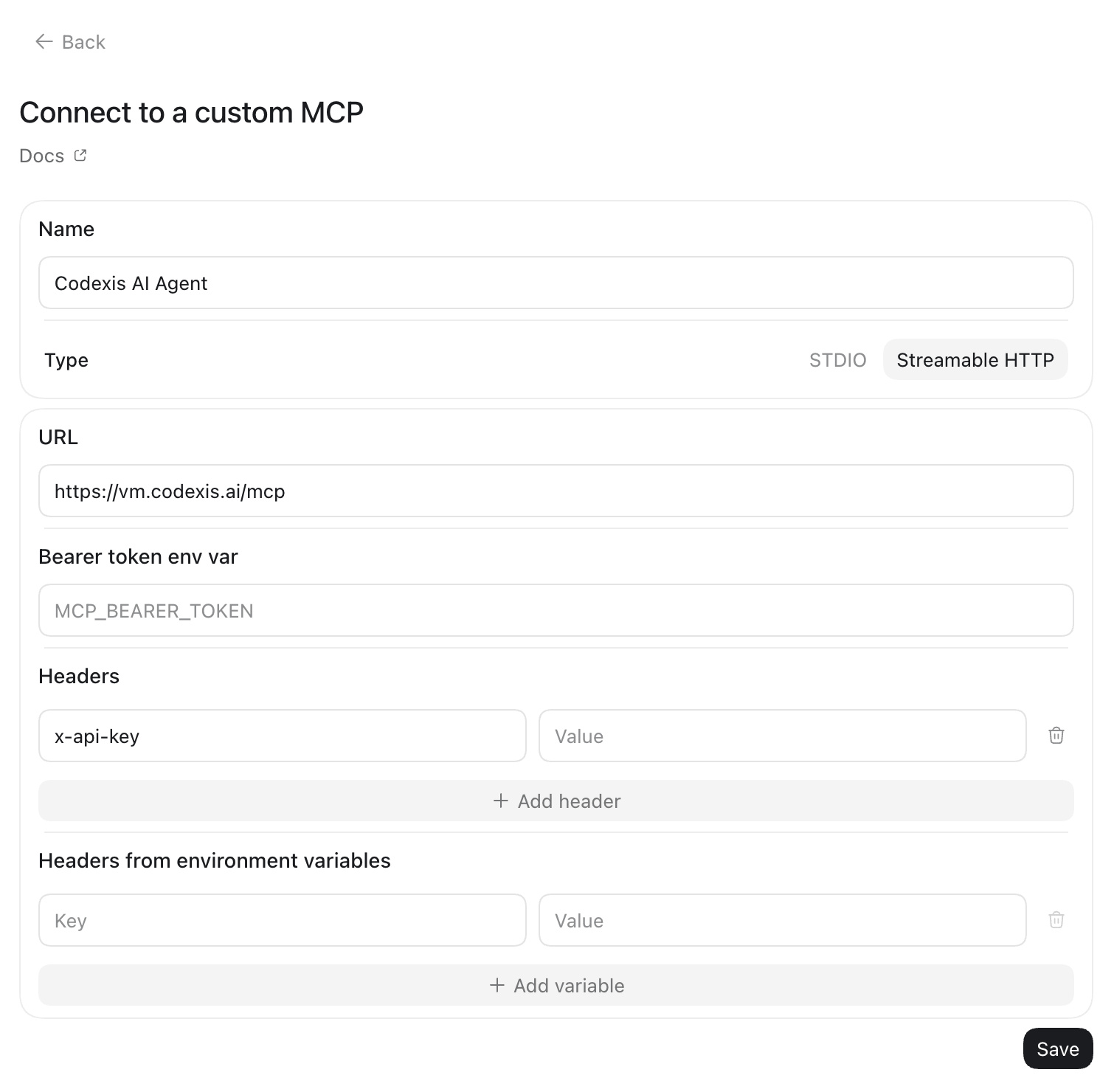
In Connect to a custom MCP, enter the following settings:
- Enter CODEXIS AI Agent in Name.
- Select Streamable HTTP in Type.
- Paste the server address below into URL.
- Under Headers, add
x-api-keyand enter your CODEXIS API key in Value. Leave Bearer token env var empty.
https://vm.codexis.ai/mcpEnter your key only in the application. Click Save, then follow the connection check below.
Check the connection and run a first task
First ask the client to check the connected account using identity_get and list projects using project_list. Then ask it to create a project, start a chat or send a message. The message_watch tool observes a specific answer; how progress updates appear depends on the client.
For HTTP 401, check the key and whether it is sent in X-Api-Key. For connection errors, check that the complete MCP URL is reachable from where the client makes its requests. If tools are missing, check that the connector is enabled for the session and allowed by your organization.
Next steps
Attachments, progress and controls through MCP · CLI · REST API v2