

Skills
A skill is a set of instructions (procedures) that CODEXIS AI learns and can then use in any conversation.
What it is: A skill is a set of instructions (procedures) that CODEXIS AI learns and can then use in any conversation. In simple terms: you teach the application "how to do it" for a certain type of task, and it then follows that whenever the skill is active.
Where to find them: In the left menu, Tools → Skills.
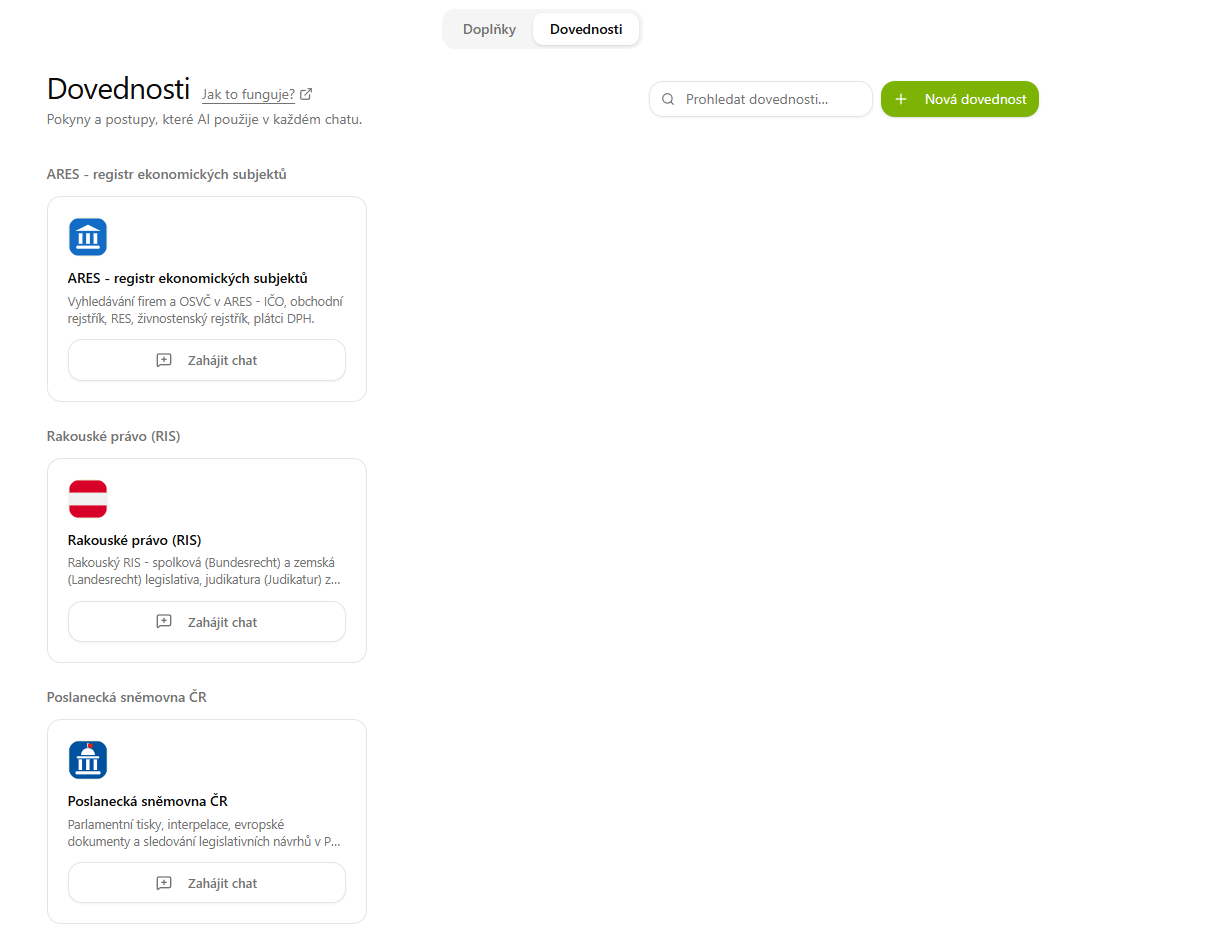
Where skills come from
Skills get into the application in two ways:
- From installed add-ons — each add-on brings its own skills, which appear here automatically, grouped by their source add-on (e.g. ARES, Austrian law, Chamber of Deputies of the Czech Republic, Municipal regulations of the Czech Republic, etc.). Each one has a Start chat button that lets you try it out right away.
- Custom skills — you create these yourself if you want to teach CODEXIS AI a procedure that the add-ons do not cover.
Creating a custom skill
You create a new skill using the New skill button (top right). The Create skill window offers three modes:
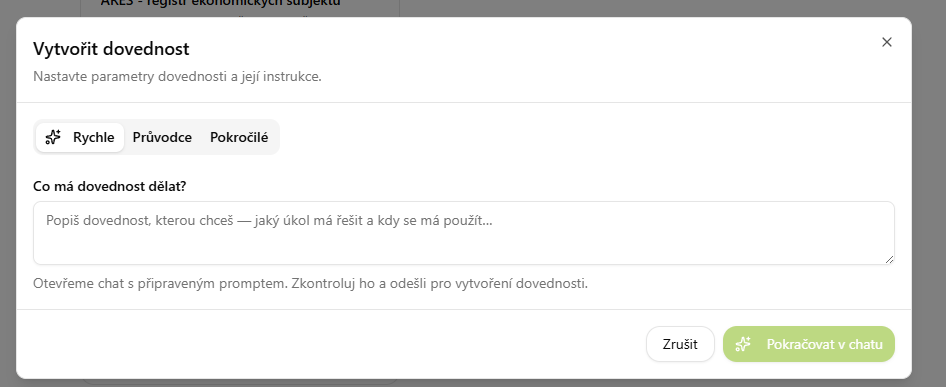
Quick
In the "What should the skill do?" field, describe in plain language what task it should handle and when to use it. The Continue in chat button opens a conversation with a prepared prompt — you review it and send it, which creates the skill.
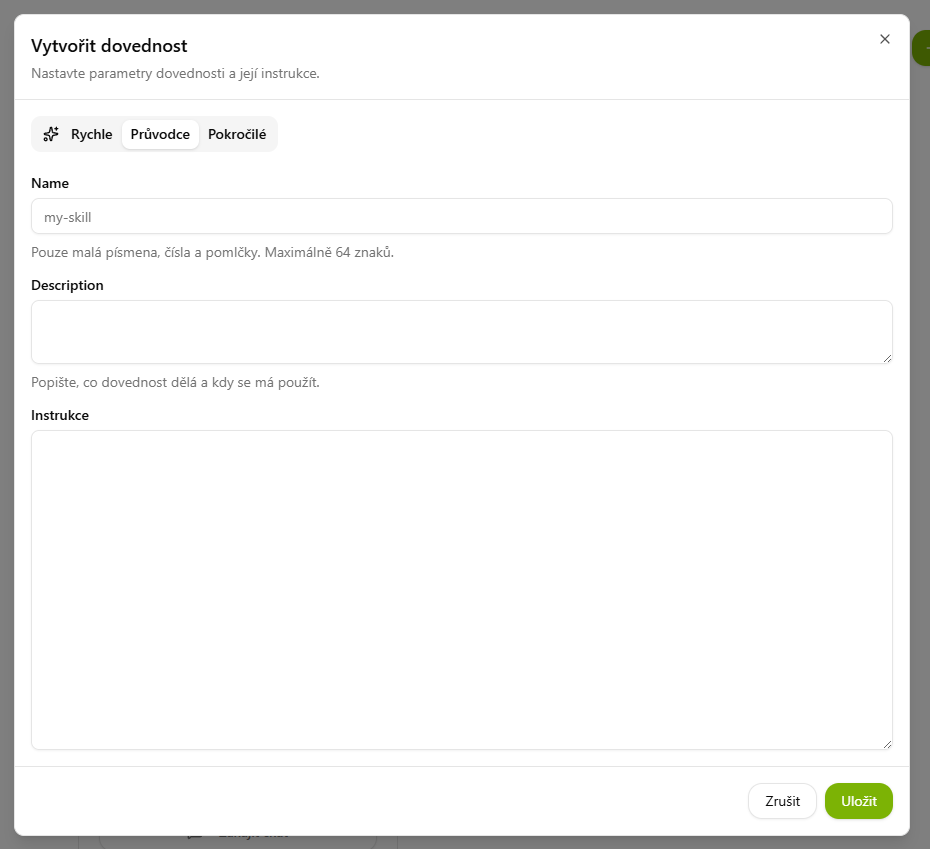
Wizard
Fill in the skill manually in a form:
- Name — lowercase letters, digits and hyphens only, max. 64 characters (e.g.
my-skill). - Description — a short description of what the skill does and when it should be used.
- Instructions — the actual instructions in Markdown that the AI follows when the skill is active.
Save with the Save button.
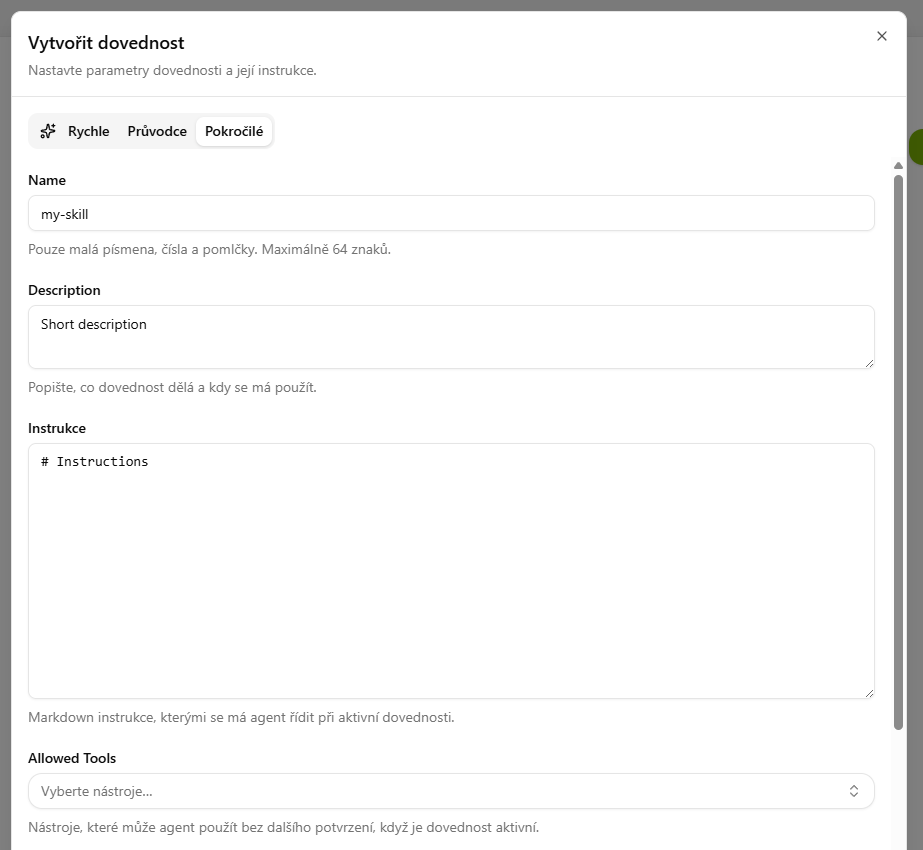
Advanced
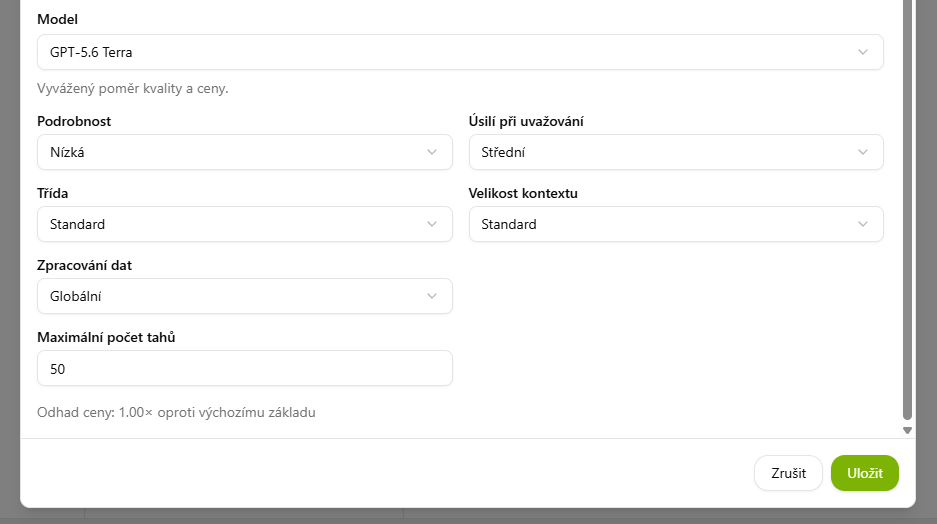
In addition to the Wizard fields, you set the AI behavior the skill runs with:
- Allowed Tools — the tools the agent may use without further confirmation while the skill is active.
- Model and the response profile — Detail, Reasoning effort, Class, Context size and Data processing.
- Maximum number of turns — how many steps the AI may take (default 50).
At the bottom you also see an approximate price estimate. Save with the Save button.
💡 Skill vs. agent — what is the difference?
- A skill is one specific procedure/piece of knowledge that can be used in any conversation or added to an agent.
- An agent is a complete specialized assistant that can draw on multiple skills and tools at once and has its own role.
In simple terms: skills are "individual capabilities", an agent is an "expert" that can combine them.
💡 Tip: Just like an agent, you can also create a skill directly from a conversation — simply describe in the chat the procedure that CODEXIS AI should remember as a new skill.