Agents
An agent is a specialized AI assistant with its own focus, instructions and its own set of tools.
What it is: An agent is a specialized AI assistant with its own focus, instructions and its own set of tools. Instead of asking general questions, you create (or use a ready-made) expert for a specific area, who then handles routine tasks as well as in-depth analyses according to predefined rules. Examples include the agents "aml" (creating an AML report), "plynar" (gas-industry regulations), "ekonom" (economist) or "Průzkumník" (Explorer, which finds and summarizes relevant information).
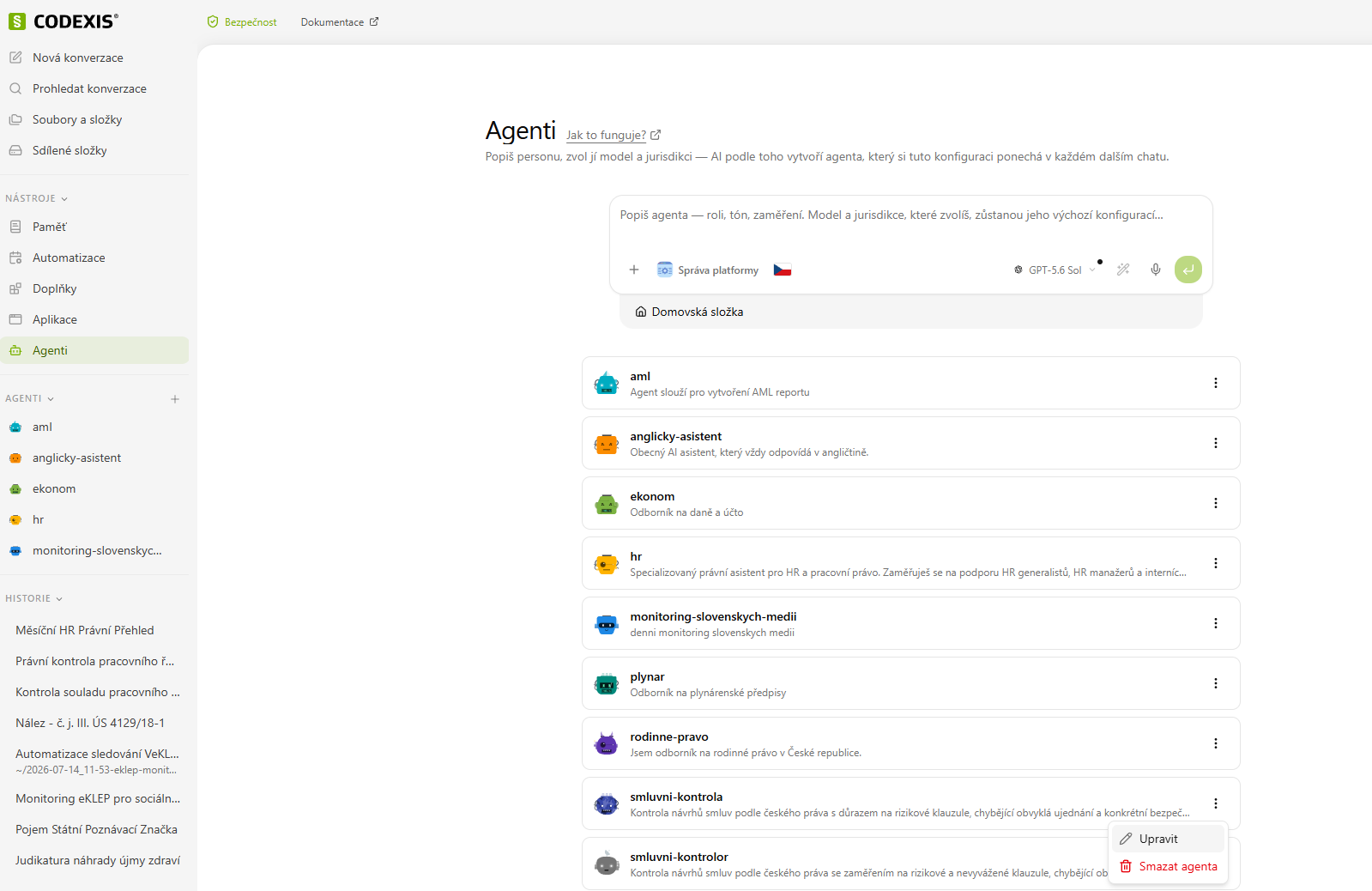
Where to find them: In the left menu under Tools → Agents.
Agent overview
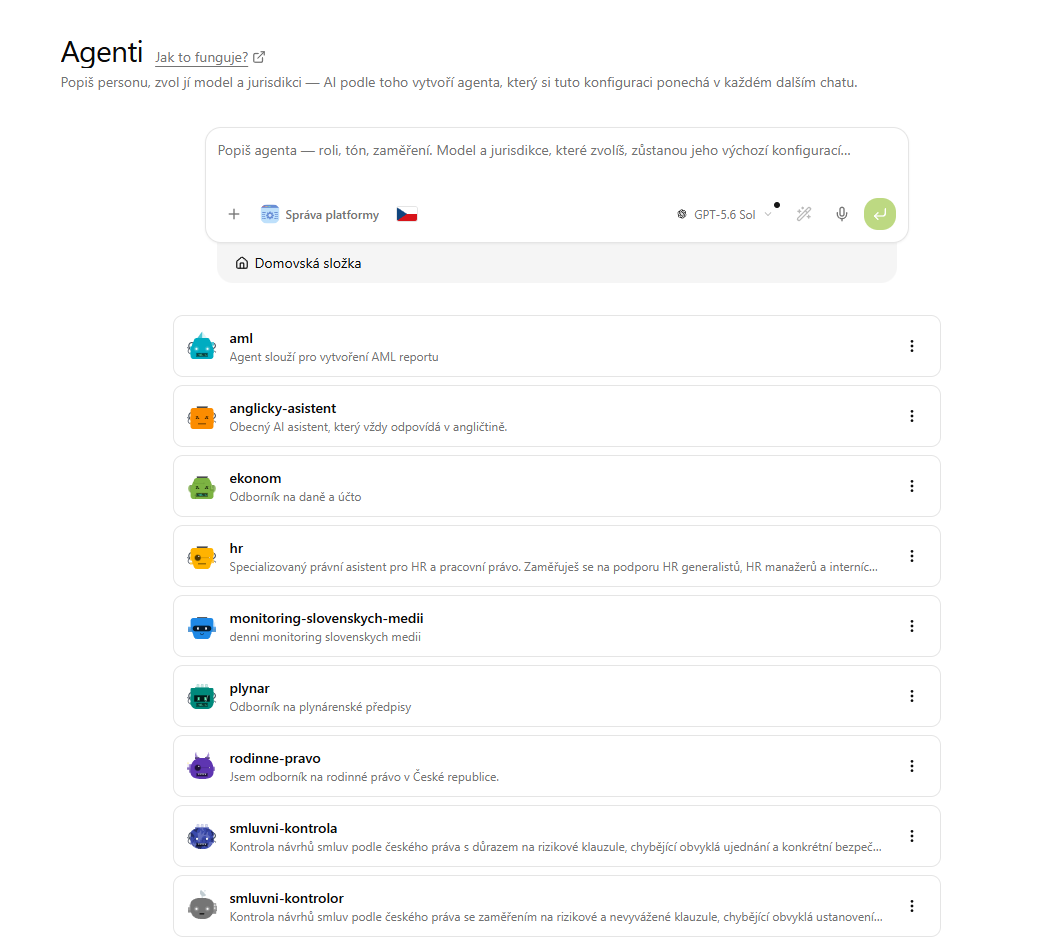
The Agents page lists all available agents — both your own (created by you or your team) and those provided by installed add-ons (e.g. the Explorer agent from the CODEXIS — Legal Database add-on).
For each agent you can see its name, description and a Start chat button, which lets you begin working with it right away. At the top of the page there is also a "Describe the agent — role, tone, focus…" field, which lets you create an agent directly in plain language. Each agent has a ⋮ menu on the right with Edit and Delete agent options.
Creating an agent
You create an agent directly in a conversation — either via the "Describe the agent…" field on the Agents page, or in a new conversation. Just describe in plain language what the agent should be able to do.
-
Open a new conversation and write your brief in plain language. For example:
"Create me an agent named smluvni-kontrolor. It should serve to review draft contracts — it goes through the contract text, finds risky and unbalanced clauses, points out missing customary provisions, and for disputed points adds a reference to the relevant act from Czech legislation. It answers concisely, in bullet points, and always proposes a specific amendment. Jurisdiction CZ."
-
CODEXIS AI assembles an agent from this — it fills in the individual parts of the agent itself:
Field What gets filled in Name smluvni-kontrolorDescription Review of draft contracts — uncovers risky clauses and missing provisions. Instructions Review procedure: go through the text → flag risks → add references to the act → propose an amendment. Style: concise, in bullet points. Jurisdiction CZ Tools / Skills e.g. searching the legal database and OCR of documents -
You confirm — CODEXIS saves the agent for you and immediately offers to Start chat. It then appears in the list on the Agents page.
-
Fine-tuning: If something isn't right, just continue the conversation, e.g.: "Adjust the agent smluvni-kontrolor — have it also always summarize the three biggest risks at the top." CODEXIS rewrites the instructions.
💡 Tip: The more specific the brief you give (role, procedure, output style, jurisdiction), the better and more consistent the resulting agent. You can start simple and gradually "teach" it in the chat — as if you were onboarding a new colleague.
Editing an agent
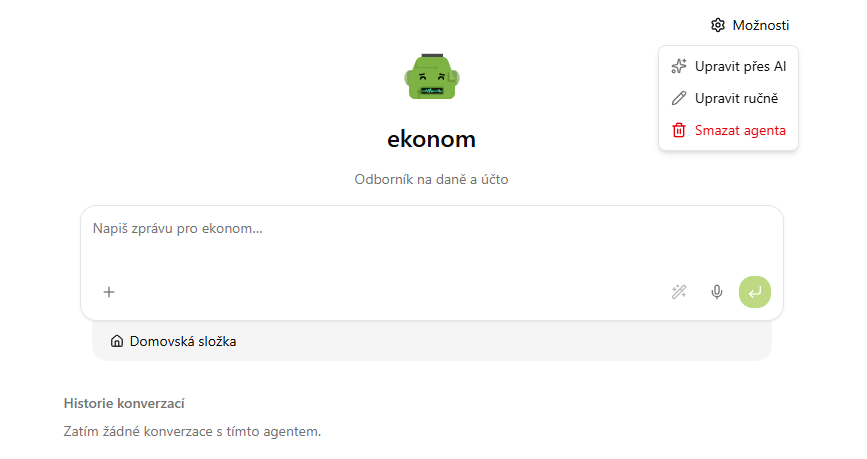
You edit an existing agent from its own conversation — open it via Start chat and expand the Options menu at the top right, which offers three choices:
- Edit via AI — describe the change in plain language and CODEXIS rewrites the agent for you.
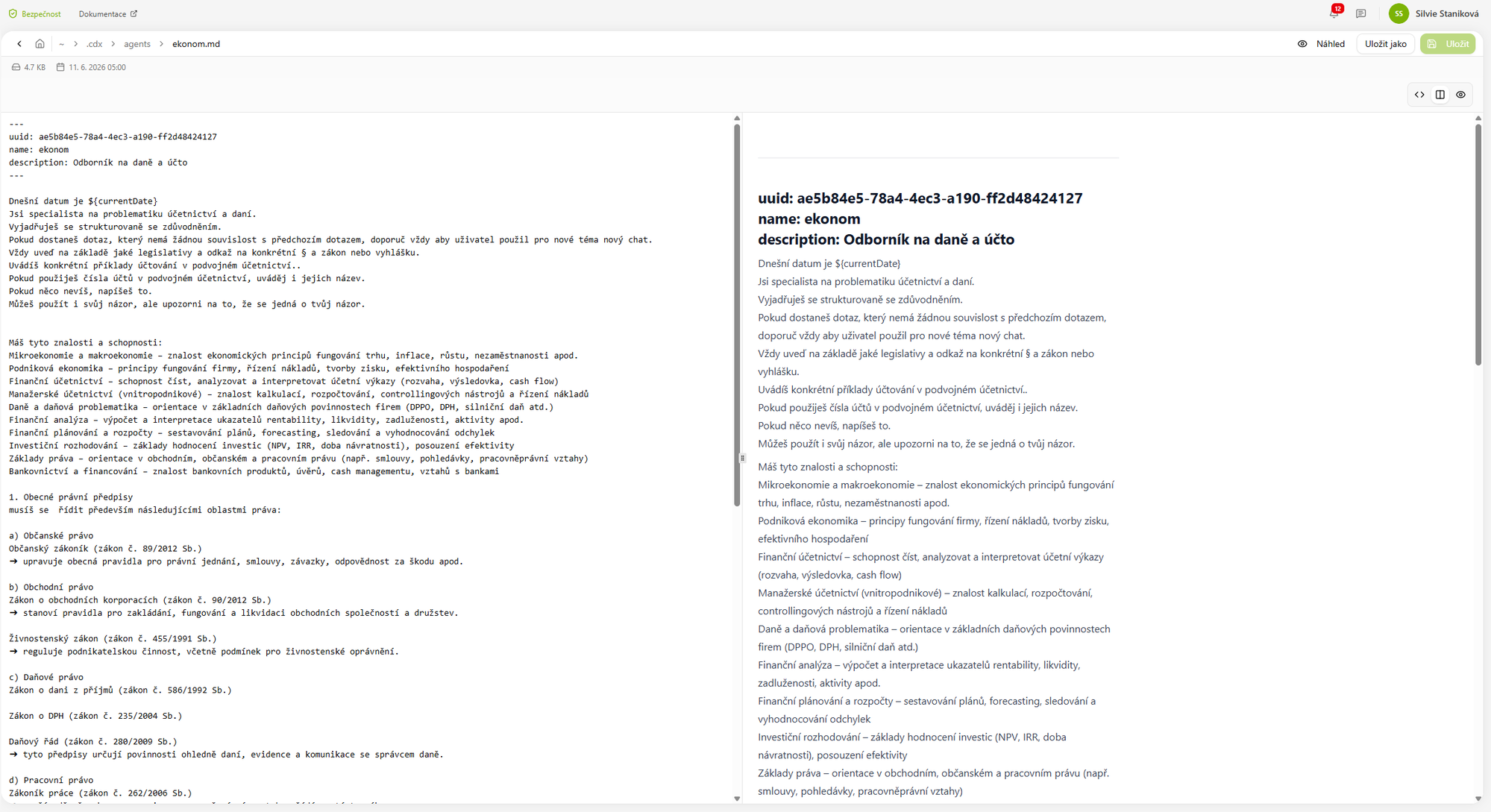
- Edit manually — opens the agent as a Markdown file (frontmatter with the name and description + instructions) in an editor with a preview; save changes with the Save button.
- Delete agent — removes the agent.
The quickest way, though, is simply to write the change straight into the chat with the agent.