

Datify - Digital AI Office
The Datify - Digital AI Office plugin connects CODEXIS AI Agent to Datify. The agent then reads and edits your collections, datasets and records.
Datify is an application for managing company agendas such as contracts, assets, vehicle fleets or grants. Its data are stored in collections (agendas) and datasets. The Datify - Digital AI Office plugin connects CODEXIS AI Agent to your Datify account, and the agent then reads and edits your collections, datasets and records.
Connecting takes three steps: install the plugin, create a personal access token in Datify and paste it into the app in the agent.
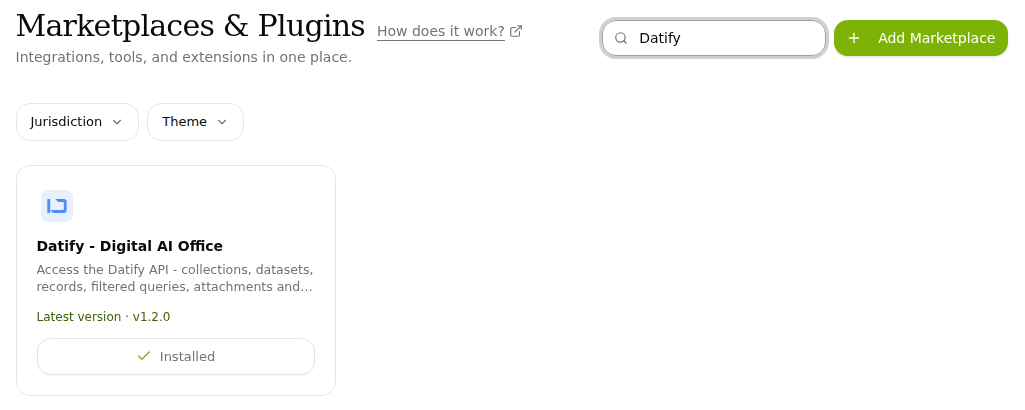
1. Install the plugin
- Open Plugins in the left-hand menu.
- Type "Datify" into the Search plugins… box and find the Datify - Digital AI Office card.
- Click Install. An installed plugin shows Installed on its card.
2. Create a token in Datify
To reach your data, the agent needs a personal access token from your Datify account. You get to token management from the app in the agent:
-
Open Apps in the left-hand menu and click the Datify API Token card.
-
Click the Where do I get a token? link. Token management opens in Datify.
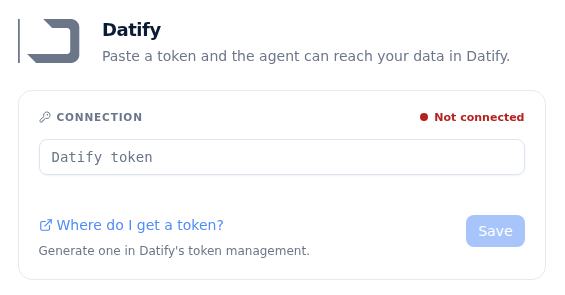
The Datify app with the Datify token field -
On the Personal access tokens page in Datify, select the workspace in the top-right corner and click Nový token (New token).
-
Name the token (for example "CODEXIS AI Agent") and click Vytvořit (Create).
-
Copy the created token right away.
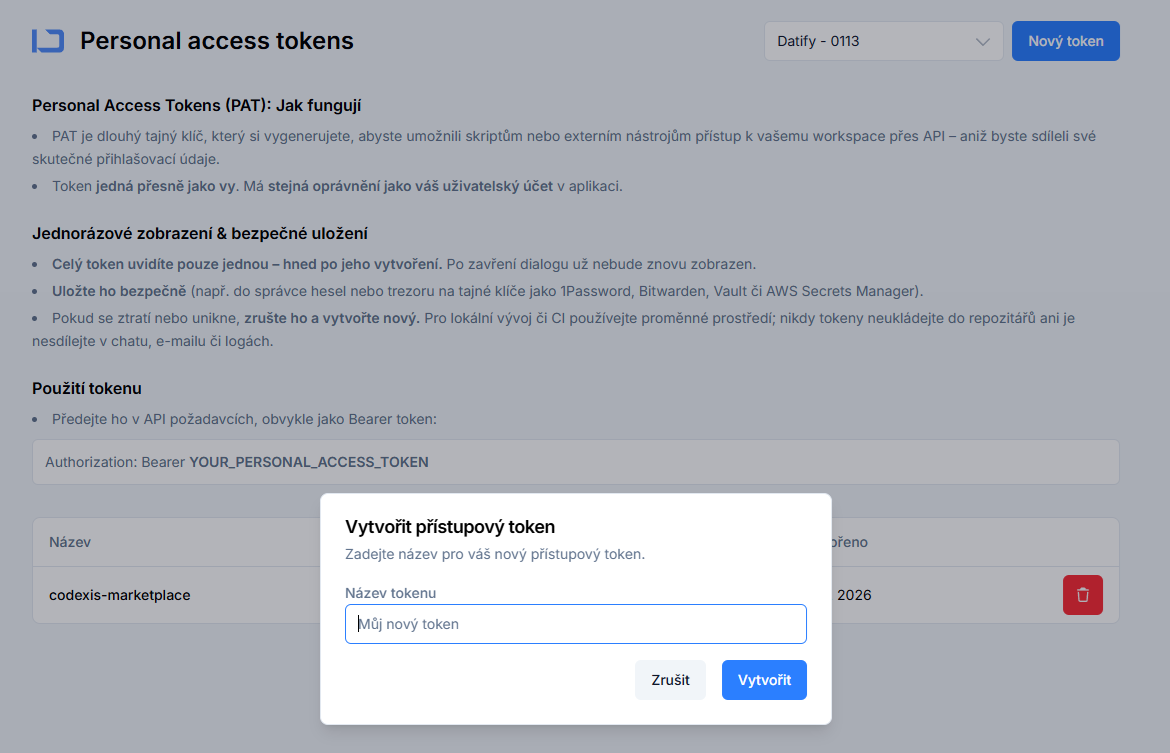
Datify, creating a personal access token
The token is shown only once
Once you close the dialog, the token cannot be displayed again. Treat it like a password: it has the same permissions as your Datify user account. If you lose it or it leaks, revoke it and create a new one.
3. Paste the token into the app in the agent
- Go back to the Datify app page in the agent.
- Paste the copied token into the Datify token field.
- Click Save.
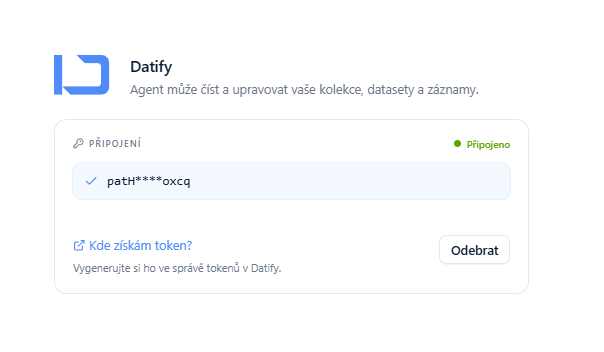
The status in the Connection section switches from Not connected to connected and a shortened token is shown. You can remove the connection at any time.
4. Ask about your data in the chat
From now on you ask the agent about your Datify content in plain language. Open a chat, select the Datify - Digital AI Office skill and write for example: "List all the agendas I have under my Datify account."
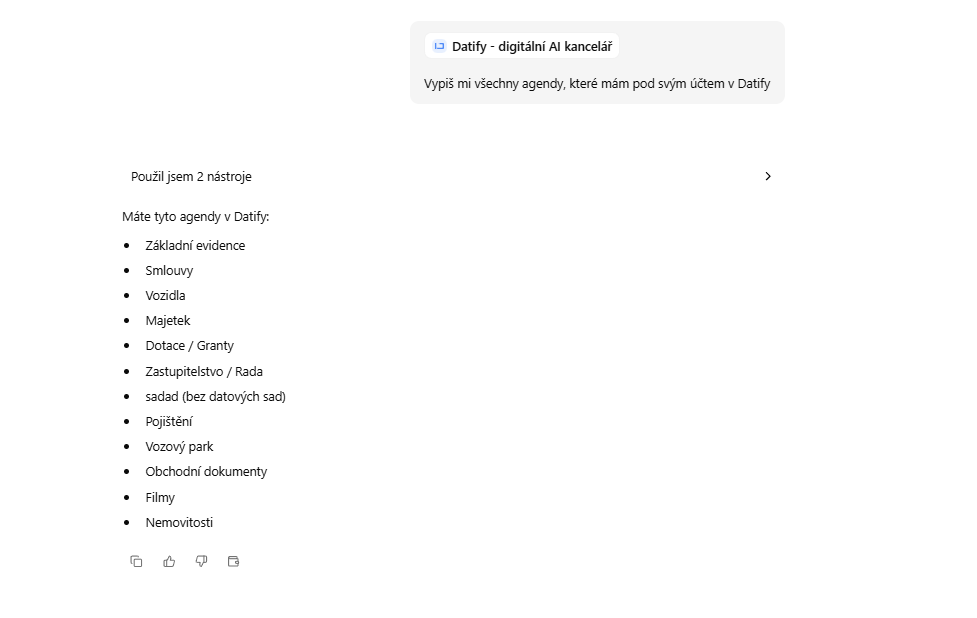
With the Datify plugin you can:
- list collections (agendas) and their datasets,
- browse records, sort them and filter them by value,
- find out the structure of a dataset including its fields and their types,
- create and edit records one by one or in bulk,
- upload attachments to records or to a dataset and show their metadata and links,
- download attached documents and read their content.
Ask which contracts end next month, have details added to your asset register or attach a file to a record without opening Datify. Other connected apps are listed in chapter 10. Applications.
ONEPOST - Data Boxes
The ONEPOST - Data Boxes plugin connects CODEXIS AI Agent to ONEPOST. The agent reads data messages and attachments and, on your instruction, prepares and sends a message.
11. Agents
An agent is an AI assistant focused on one area, with its own instructions, model and jurisdiction. You create it by describing it in plain language, edit it in a form or with AI, and can add the Case law research workflow.