

Trademark Watchdog
Trademark Watchdog monitors word and figurative trademarks against the ÚPV and EUIPO registers and watches for similar applications and registrations.
Trademark Watchdog monitors word and figurative trademarks against the registers of the Czech Industrial Property Office (ÚPV) and EUIPO (EU) via TMview. It automatically checks for similar applications and registrations based on word, phonetic and figurative similarity. On this page you open the app and connect it to the EUIPO register. You need your own EUIPO API credentials for this.
1. Open the app
The app comes with the Trademark Watchdog plugin. If you don't have it yet, install it in Plugins as described in chapter 8. Add-ons.
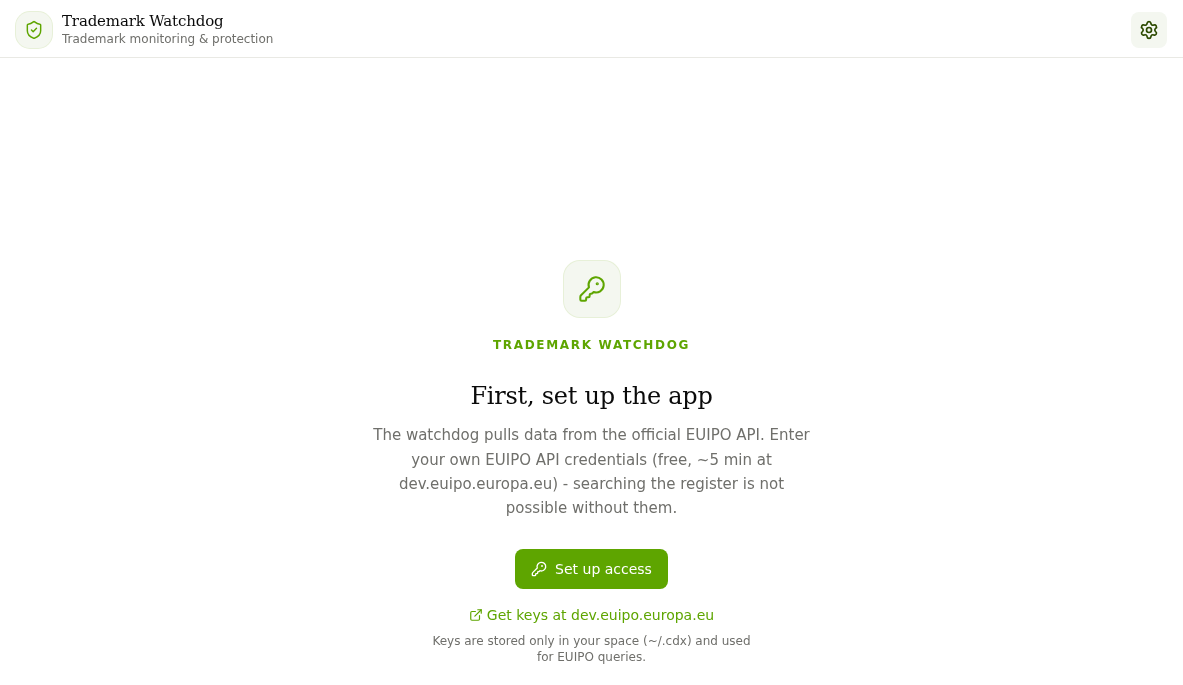
Open Apps in the left-hand menu and click the Trademark Watchdog card in the section of the same name. Until the app is connected to EUIPO, you see the "First, set up the app" screen. Without the connection the register cannot be searched.
2. Get your EUIPO credentials
The watchdog pulls data from the official EUIPO API. You create the credentials (client_id and client_secret) free of charge on the developer portal dev.euipo.europa.eu. The Get keys at dev.euipo.europa.eu link is also right in the app.
3. Connect the app to EUIPO
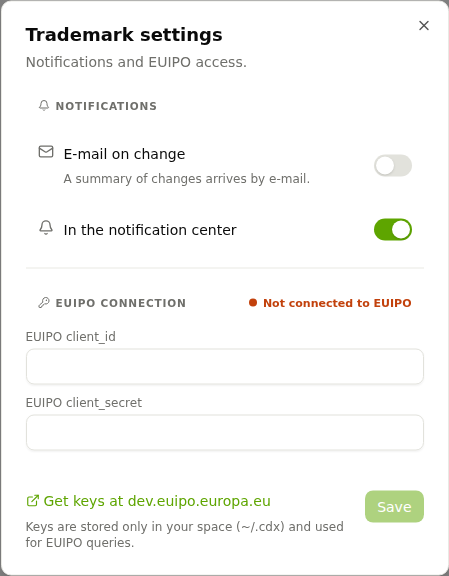
- Click Set up access (or the gear icon in the top-right corner). Trademark settings opens.
- In the EUIPO connection section, fill in the EUIPO client_id and EUIPO client_secret fields.
- Click Save.
The keys are stored only in your workspace and are used only for queries to EUIPO.
4. Set up notifications
In the Notifications section of the same dialog you choose how you learn about changes:
- E-mail on change: a summary of changes arrives by e-mail, and you can add further recipients.
- In the notification center: alerts appear directly in CODEXIS AI Agent.
Business partners are watched in a similar way by the Insolvency Watchdog app. All apps are listed in chapter 10. Applications.
Collection of Deeds
Collection of Deeds watches the Collection of Deeds of the Czech public registers and reports newly filed documents of tracked companies, ready to download.
SID - Internal Documents
The SID - Internal Documents plugin connects CODEXIS AI Agent to SID. The agent can then search, read and download your internal documents.