

Tracked Case Law
Tracked Case Law follows new case law on a given topic and prepares a regular AI report on trends and new decisions.
Tracked Case Law watches for new court decisions on the topics you set and regularly prepares an AI report on them, so you don't have to go through new decisions yourself. This page shows how to create a topic and how to read the reports.
Open the app from the left-hand menu via Apps and the Case Law Monitor card.
Creating a topic
You create a topic to follow in the chat. Just write in plain language what to watch, for example:
"Follow case law on tax-deductible expenses" • "Follow decisions on invalid notice of termination" • "Follow case law on liability for damage"
The new topic then appears in the Tracked Case Law app.
Topics and reports
The panel on the left lists the topics you follow with the number of reports, and All shows reports from all topics at once. Each report shows its date, the period covered and the number of decisions found. Search the reports with the Search reports… box and use the New only toggle to show only new reports.
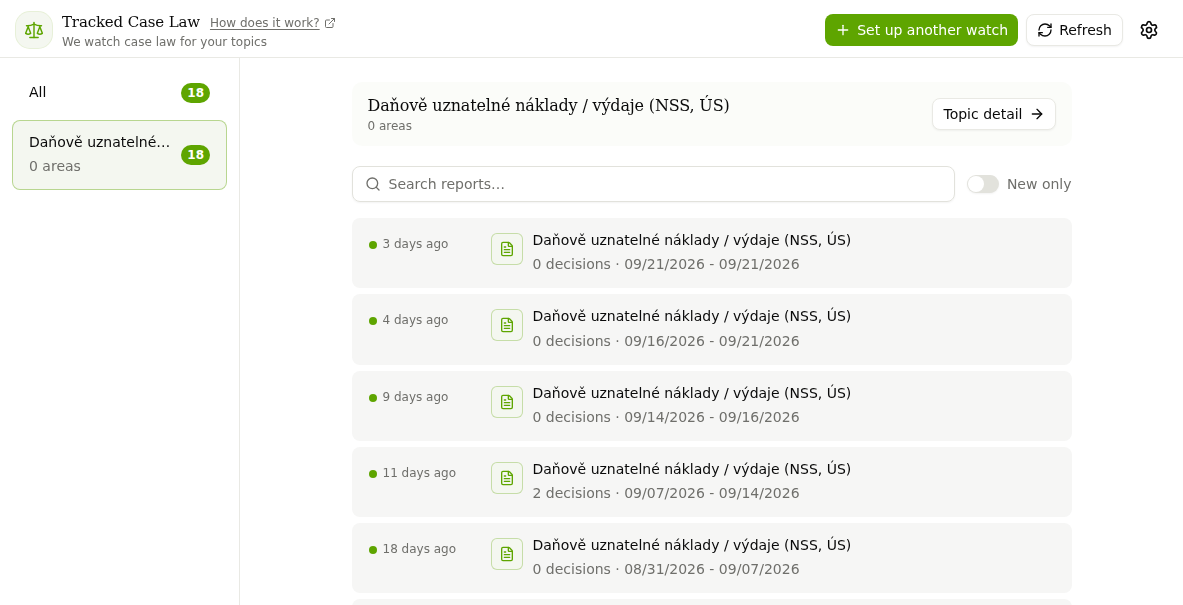
Topic detail
After selecting a topic, click Topic detail. The Notes field holds the brief: what exactly to watch and what the report should look like. You can edit the brief and save it with Save note. Below the notes is the list of Reports, and Delete topic stops following the topic.
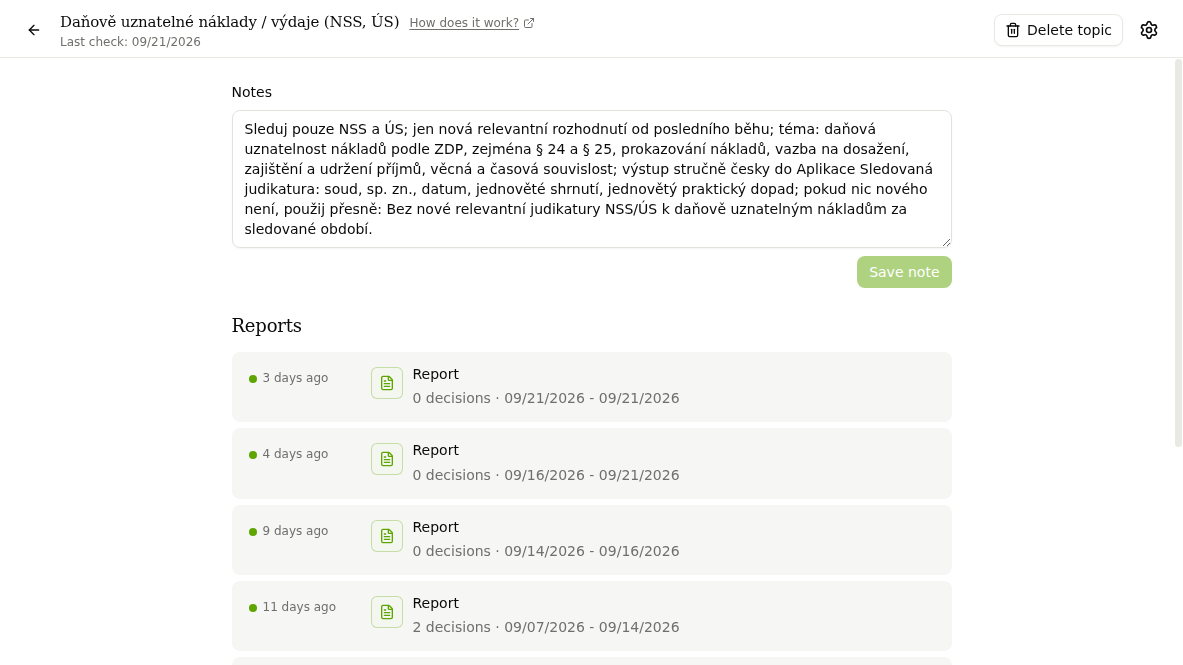
Report
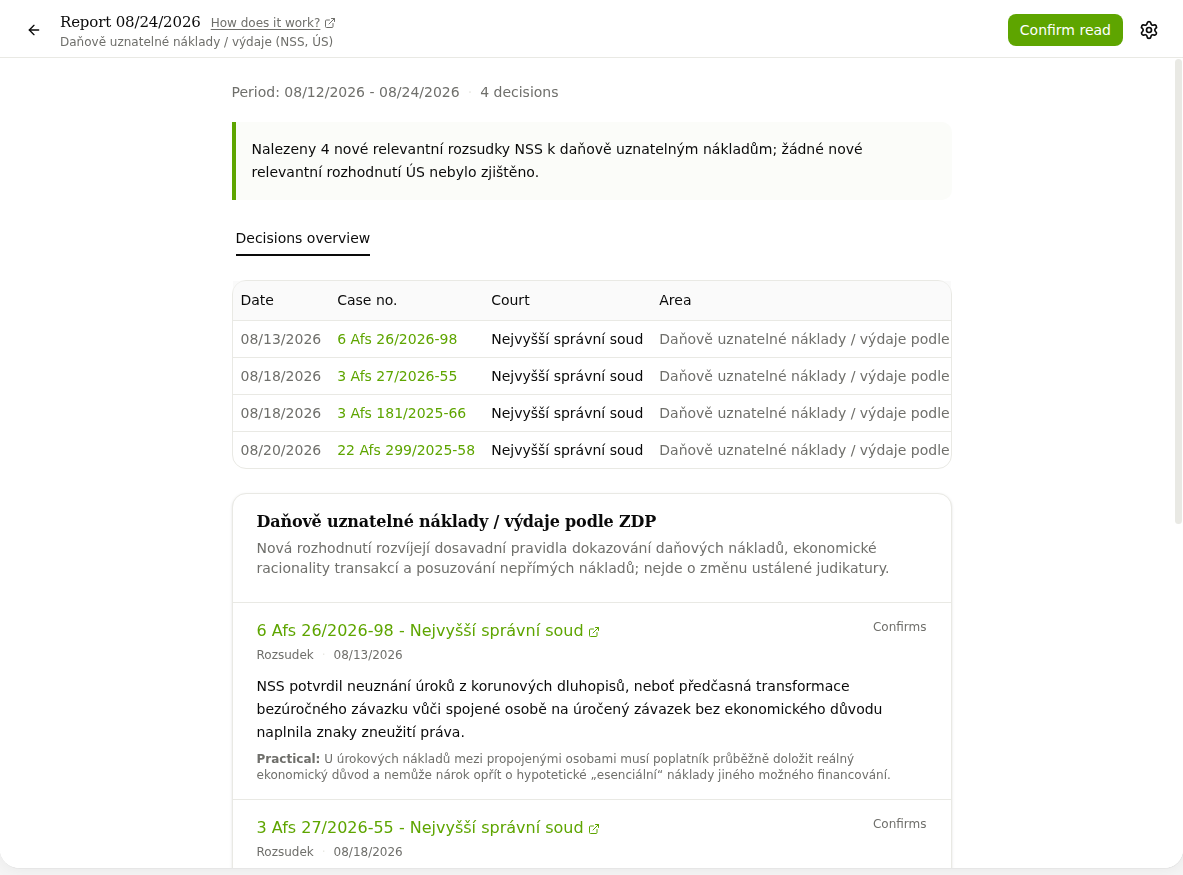
Open a report by clicking it in the list. It starts with a short summary of the findings, followed by a Decisions overview table (date, case number, court, area) and the details of each decision with a description and a practical note. The case number links straight to the decision. Confirm read marks the report as read.
The gear icon in the top-right corner opens the notification settings. With E-mail on change a summary arrives by e-mail, with In the notification center alerts appear directly in CODEXIS AI Agent. Changes to legislation are tracked by the Followed documents app.
Followed documents
Followed documents tracks changes to legislation by CODEXIS ID and the legislation referenced by documents in your project folders.
Insolvency Watchdog
Insolvency Watchdog continuously monitors the Czech insolvency register ISIR and alerts you to new and changed insolvency proceedings of the companies and people you watch.