Connect OneDrive to CODEXIS AI
Connect OneDrive to CODEXIS AI Agent. Read, edit and create documents with changes saved back to your storage.
Connect your OneDrive and the agent works with it just like you do: it sees your files, reads them, edits them and creates new documents and entire folders, exactly as if you were creating them in your own OneDrive. Changes are written back, so both you and the agent always work over the same up-to-date data.
Connecting
OneDrive contains only your own files, so it is connected as a whole and you don't need to choose a specific folder. The steps:
- On the Connections page, click Connect storage and choose OneDrive.
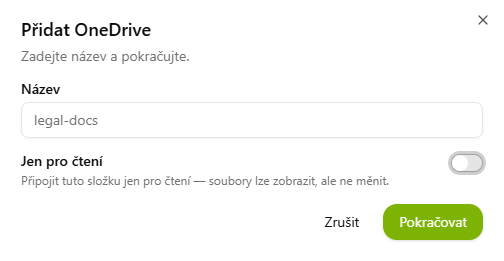
- In the Add OneDrive dialog, name the connection.
- Optionally enable Read-only. The agent can then only view the files, not change them.
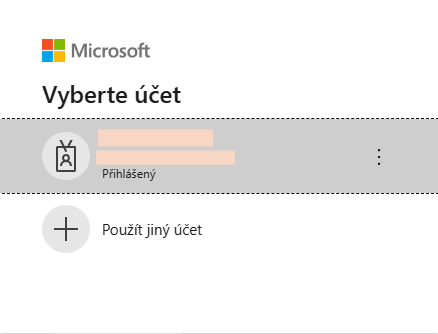
- Click Continue and sign in with your Microsoft account: pick the account and grant access.